OpenCode
DESIGN.md for OpenCode
Use DESIGN.md with OpenCode to keep open-source, provider-agnostic coding sessions visually consistent across terminal, IDE, and desktop workflows.
 Dima Braven5 min read
See it in practice
Related DESIGN.md references
Curated directory entries with practical workflows and visual contracts — not blog posts.
Why OpenCode needs design context
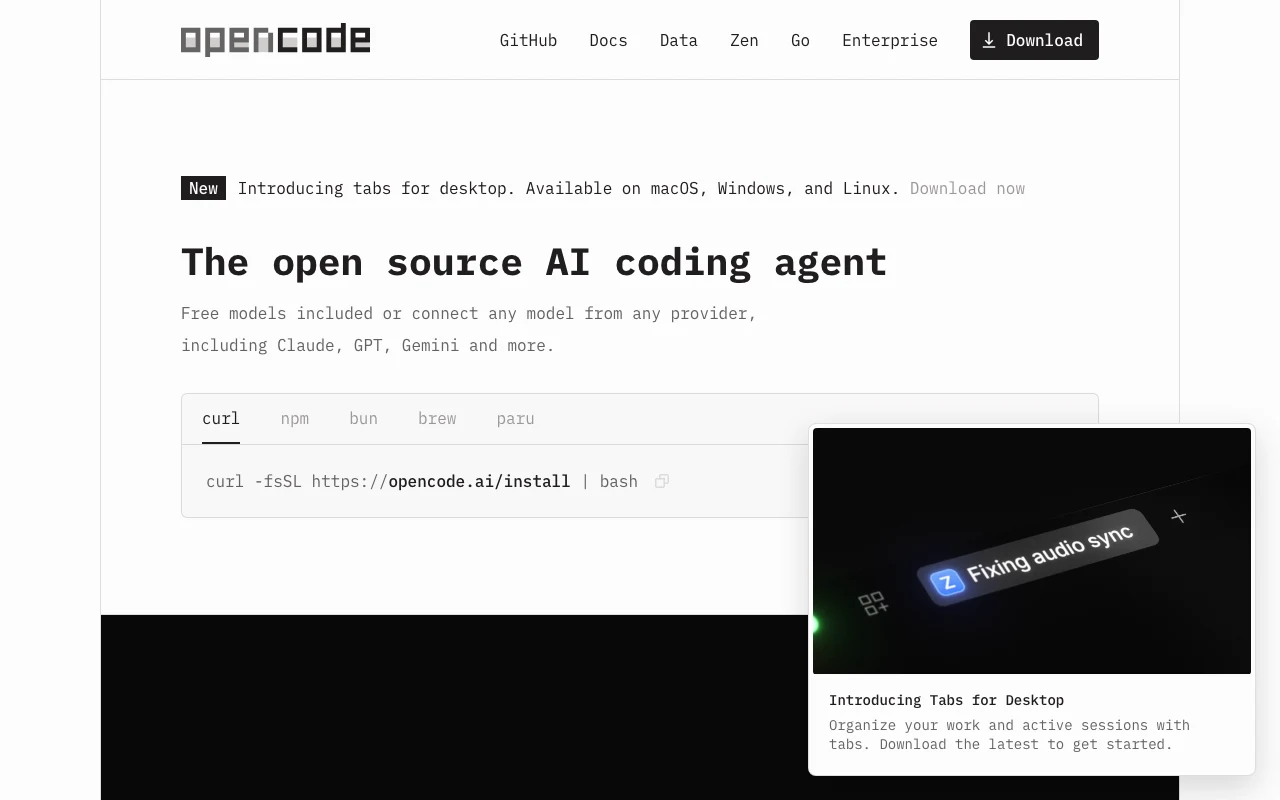
OpenCode is an open-source coding agent that can run across terminal, IDE, and desktop workflows and connect to different model providers. The portability is useful for teams, but it also means visual quality cannot live in one vendor-specific memory. DESIGN.md keeps product taste in the repository, where every session can read it.
Place it next to AGENTS.md
OpenCode supports repository instructions through AGENTS.md. Keep the two files close together and give them different jobs. AGENTS.md can say which commands and tests to run; DESIGN.md can define color roles, typography, density, component states, and anti-patterns.
# UI workBefore changing a user-facing route, read DESIGN.md.Preserve existing primitives and verify loading, empty, error, and mobile states.A reliable OpenCode prompt
Start a session by asking OpenCode to inspect the design file and the nearest existing components before editing. Ask for a short plan that names the tokens and patterns it will reuse. This makes a multi-session workflow converge instead of producing a new visual language every time.
Read AGENTS.md and DESIGN.md before planning.Find the closest existing component pattern.Implement the smallest change, then verify responsive and interactive states.Review the generated UI
Review the result as a product surface, not only as a diff. Check hierarchy, spacing rhythm, semantic colors, focus visibility, contrast, and whether the new screen looks like it belongs beside existing screens. If the agent repeats a mistake, add the rule to DESIGN.md instead of relying on a one-off prompt.
Provider freedom can create taste drift
OpenCode can connect to models from different providers and can run in a terminal, IDE, or desktop app. That flexibility is useful when a team wants to compare models, use a local model, or choose a stronger model for a difficult refactor. It also creates a subtle design risk: two sessions can interpret the same vague request through different visual priors. One model may reach for a dense data table, another for spacious cards, and a third may add decorative gradients. DESIGN.md is the stable layer that sits above those differences. It should state the product mood, token names, component defaults, and anti-patterns in language that remains useful regardless of which model is active.
OpenCode rules also make AGENTS.md a useful operational companion. Put file conventions, commands, and review requirements in AGENTS.md, then link to DESIGN.md for visual decisions. If a repository has several applications, make the root file describe the shared contract and add scoped instructions near each app. A session then gets both the global product language and the local implementation constraints without turning one file into an unmaintainable prompt.
| Workflow | Without DESIGN.md | With DESIGN.md |
|---|---|---|
| Switching models | Each model invents a slightly different visual language. | Tokens and component rules remain stable across providers. |
| Parallel sessions | Cards, spacing, and states diverge between sessions. | Every session starts from the same reviewable contract. |
| New contributor | Taste is reconstructed from scattered screenshots. | The repository explains the intended output directly. |
## UI changesRead DESIGN.md before planning user-facing work.Use existing primitives before adding new ones.After editing, verify desktop, mobile, loading, empty, error, and focus-visible states.Make model changes safe for the interface
A provider switch should change the reasoning engine, not the product language. Before a session starts, give OpenCode a small, explicit target: the route, the user outcome, the existing component to extend, and the design section that governs the change. This is more reliable than asking for a “modern” or “clean” interface because those adjectives leave too much room for model preference. The agent can still choose the implementation, but the visible result has a stable boundary.
For larger work, ask OpenCode to separate discovery from implementation. First have it list the relevant tokens, components, and states. Then have it implement only after the plan names what will be reused. Finally, ask for a short visual audit that compares the changed route with an established route. This loop is especially useful when several sessions run against the same project: each session leaves behind a reviewable explanation instead of only a code diff.
- Name the route and the closest existing pattern
- Prefer semantic tokens over raw colors
- Keep new variants justified by a real state or use case
- Verify long labels, empty data, errors, and keyboard focus
- Record a repeated visual correction in DESIGN.md
The goal is not to freeze the interface. A good design file can evolve when the product learns something new. The important distinction is between an intentional design decision and an accidental default. OpenCode is most effective when it can explore implementation options inside a clearly described product language, then make the tradeoff visible for a human reviewer.
A final OpenCode review should also check the places where generated UI commonly becomes brittle: long translated labels, empty collections, partial data, keyboard-only navigation, and narrow screens. These are not decorative details. They determine whether the visual system survives real product conditions. Put the durable expectations in DESIGN.md, and keep route-specific exceptions close to the route so the shared file stays useful rather than becoming a dump of every edge case.
If a session needs to make a new visual decision, have it write the decision down with a reason and an example. That small habit turns provider choice into an implementation detail instead of a source of brand drift. The next OpenCode session can then focus on the user problem while the repository carries the accumulated visual memory.
Use DESIGN.md with a real product reference
Browse curated DESIGN.md examples from product teams, design systems, developer tools, SaaS dashboards, and AI-native apps. Use them as references before your agent builds the next screen.
Related guides
DESIGN.md for Kiro
How to use DESIGN.md with Kiro, the AWS agentic IDE built around specs, steering, hooks, and production-minded implementation.
DESIGN.md for Devin Desktop (formerly Windsurf)
How to use DESIGN.md with Devin Desktop, the next generation of Windsurf, so agentic edits follow your product design system instead of default editor taste.
DESIGN.md for Bolt
How DESIGN.md helps bolt.new generate full-stack browser apps with stronger UI direction, cleaner components, and less generic styling.
Frequently asked questions
Does OpenCode require a special DESIGN.md format?
No. A plain Markdown file is enough; the important part is that it is discoverable and named in the repository instructions.
Can DESIGN.md work with different model providers?
Yes. Its value is that the visual contract travels with the repository rather than with a provider-specific chat history.
Should DESIGN.md replace AGENTS.md?
No. Keep execution and engineering rules in AGENTS.md and visual rules in DESIGN.md.